

Do you publish useful blog posts but still struggle to attract visitors from search engines?
Stay calm because a few missing on-page elements can stop even a strong article from reaching its full potential. You can improve your results by following a clear process before and after publication.
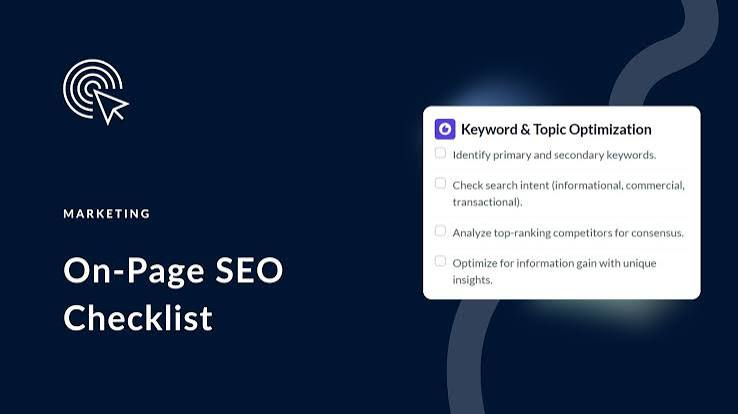
A complete on-page SEO checklist for blog posts helps you optimize every important part of a page. It covers search intent, keywords, titles, headings, URLs, internal links, images, readability, page speed, and other essential elements.
This guide will explain each step in simple language. You can use it while writing a new article or updating an old one.
Complete On-Page SEO Checklist for Blog Posts
On-page SEO involves the changes you make directly to a web page. These changes help search engines understand your topic and help readers find useful information quickly.
Here are the main steps in the checklist:
- Understand Search Intent
- Choose a Primary Keyword
- Find Related Keywords
- Create a Clear Content Outline
- Write an Optimized Title Tag
- Create a Strong H1 Heading
- Write a Helpful Meta Description
- Use a Short URL
- Write an Engaging Introduction
- Organize Content With H2 and H3 Headings
- Place Keywords Naturally
- Cover the Topic Completely
- Improve Readability
- Add Internal Links
- Add Relevant External Links
- Optimize Images
- Write Descriptive Alt Text
- Add a Clear Call to Action
- Improve Page Experience
- Review and Update the Blog Post
1. Understand Search Intent
Search intent explains what a person wants when they enter a query into a search engine. Some people want information, while others want to compare options, visit a specific page, or buy something. Your blog post must match that purpose.
Search your main keyword and study the type of pages that appear. Look at their titles, formats, headings, and level of detail. These results can show whether readers expect a guide, checklist, review, comparison, or short answer.
Do not copy competing pages. Use them to understand what readers need. Then create a clearer and more useful resource.
A mismatch between your article and search intent can reduce your chances of ranking. A detailed guide may not perform well when users only want a short definition. Always choose the format that best answers the search.
Common types of search intent include:
- Informational: The user wants to learn something.
- Navigational: The user wants to visit a specific website.
- Commercial: The user wants to compare products or services.
- Transactional: The user wants to complete a purchase or action.
2. Choose a Primary Keyword
A primary keyword gives your blog post a clear focus. It represents the main phrase that you want the page to target. Choose one keyword that closely matches the topic and the reader’s purpose.
Use a keyword that people actually search for and that fits your website. A highly competitive phrase may not suit a new or small website. A more specific keyword can attract fewer visitors but bring a more relevant audience.
You should also consider whether the keyword gives you enough room to create useful content. Avoid choosing a phrase that does not match your knowledge, products, services, or audience.
Use one main keyword for each page. Two pages that target the same phrase may compete with each other and confuse search engines.
A useful primary keyword should:
- Match the reader’s search intent
- Relate closely to the blog topic
- Support your business or website goals
- Allow you to provide real value
- Fit naturally within headings and sentences
- Avoid unnecessary competition with your existing pages
3. Find Related Keywords
Related keywords help you explain the topic in greater depth. They include close variations, supporting terms, common questions, and phrases connected with the main subject.
You can find these terms through search suggestions, related searches, keyword tools, customer questions, online forums, and competing pages. Choose terms that improve the article instead of adding every suggestion you find.
Related phrases help search engines understand the full context of your page. They also allow you to answer more reader questions naturally.
Do not force these terms into every paragraph. Use them only where they make sense. Clear communication matters more than keyword quantity.
Related keyword ideas may include:
- Close variations of the primary keyword
- Questions about the main topic
- Problems readers want to solve
- Tools connected with the topic
- Beginner and advanced terms
- Product or service categories
- Common industry phrases
4. Create a Clear Content Outline
A content outline organizes your ideas before you start writing. It helps you cover the topic in a logical order and prevents repeated information.
Start with the main question that the article must answer. Then divide the topic into clear H2 sections. Use H3 headings to explain detailed steps, examples, or supporting points.
Study the questions your audience asks and include the most useful ones in your structure. Place the most important information near the beginning so readers can find answers quickly.
A clear outline also makes writing and editing easier. You can focus on one section at a time and check whether every part supports the main topic.
A strong outline usually includes:
- One clear H1 title
- An engaging introduction
- Main sections under H2 headings
- Detailed points under H3 headings
- Examples or practical tips
- A helpful conclusion
- A relevant call to action
5. Write an Optimized Title Tag
The title tag tells search engines and users what the page covers. It often appears as the clickable title in search results, so it can affect both rankings and clicks.
Place your primary keyword near the beginning when it sounds natural. Add a clear benefit, number, year, or useful description to make the title more specific.
Keep the title focused and accurate. Do not promise something that the article does not provide. Misleading titles may attract clicks, but they can also disappoint readers and damage trust.
Each page should use a unique title tag. Repeated titles make it difficult for search engines and readers to understand the difference between pages.
A strong title tag should:
- Include the primary keyword
- Explain the page clearly
- Offer a useful benefit
- Create interest without exaggeration
- Stay easy to read
- Remain unique across the website
6. Create a Strong H1 Heading
The H1 heading appears as the main title on the page. It tells readers what they will learn and confirms that they opened the right article.
Use only one main H1 for the blog post. Include the primary keyword naturally and keep the wording clear. The H1 can match the title tag, but you may adjust it slightly to make it more engaging.
Avoid vague titles such as “Everything You Need to Know.” Explain the real topic and benefit instead.
The H1 should stand out visually from other headings. It should also match the promise you made in the title tag and meta description.
An effective H1 should:
- State the main topic
- Include the target keyword
- Match the reader’s intent
- Explain the benefit
- Avoid unnecessary words
- Remain different from H2 and H3 headings
7. Write a Helpful Meta Description
A meta description summarizes the blog post for search users. It does not need to explain every detail. It should give people a clear reason to visit the page.
Include the primary keyword naturally because search engines may highlight matching words. Focus on the main benefit and explain what readers will find.
Use direct and active language. Words such as learn, discover, follow, improve, and use can make the description more engaging.
Keep the description within a reasonable length so search results can display most of it. Search engines may rewrite it, but a strong original description still improves your page setup.
A helpful meta description should:
- Summarize the article accurately
- Include the primary keyword
- Explain a clear benefit
- Use active language
- Encourage relevant clicks
- Avoid keyword repetition
8. Use a Short and Clear URL
A clear URL helps users and search engines understand the page topic. It also looks more professional when people share it.
Include the primary keyword or its shortest meaningful version. Remove unnecessary numbers, dates, categories, and words that do not add value.
Use lowercase letters and separate words with hyphens. Avoid spaces, symbols, or complicated parameters.
Do not change a published URL without a good reason. A URL change can break existing links and reduce traffic if you do not create a proper redirect.
A good blog URL should:
- Describe the page topic
- Include the main keyword
- Use lowercase letters
- Separate words with hyphens
- Avoid unnecessary words
- Remain short and memorable
9. Write an Engaging Introduction
The introduction should confirm that the article will solve the reader’s problem. It should also encourage the visitor to continue reading.
Start with a question, challenge, surprising observation, or familiar situation. Show that you understand the reader’s concern. Then explain how the guide will help.
Use the primary keyword naturally within the opening section. Do not repeat it several times. One clear mention can establish the topic without making the paragraph sound forced.
Keep the introduction focused. Avoid long personal stories or general statements that delay the main answer. Readers should understand the value of the article within the first few lines.
A useful introduction should:
- Address a real reader problem
- Create interest quickly
- Mention the main topic
- Explain what the guide covers
- Set clear expectations
- Lead smoothly into the first section
10. Organize Content With H2 and H3 Headings
Headings divide a long blog post into clear and readable sections. They help readers scan the page and find the information they need.
Use H2 headings for the main sections. Use H3 headings for supporting points within each H2 section. Follow a logical order and avoid skipping heading levels without a reason.
Write descriptive headings instead of vague labels. A heading such as “How to Optimize Blog Images” tells readers more than a heading such as “Images.”
Include keywords in headings only where they fit naturally. Do not place the same phrase in every heading.
Good headings should:
- Explain the section clearly
- Follow a logical order
- Support easy scanning
- Include related terms naturally
- Keep the reader focused
- Avoid unnecessary repetition
11. Place Keywords Naturally
Keyword placement helps search engines understand your page, but excessive repetition can weaken the article. Use the primary phrase where it supports the meaning.
Important locations include the title tag, H1, URL, introduction, one relevant H2, image text, and conclusion. You do not need to include the exact phrase in every section.
Use synonyms and related words to keep the language natural. Write for people first and check whether each sentence sounds clear when you read it aloud.
Never hide keywords, repeat them in long lists, or force them into unrelated sentences. These methods create a poor experience and may reduce trust.
Natural keyword locations include:
- The title tag
- The H1 heading
- The page URL
- The first paragraph
- One important subheading
- Relevant body paragraphs
- Image descriptions
- The conclusion
12. Cover the Topic Completely
A blog post should answer the main question and the important questions that follow it. Complete coverage helps readers solve their problem without visiting several other websites.
Study the topic from a beginner’s point of view. Explain essential terms, steps, examples, mistakes, tools, and best practices where necessary.
Do not add information only to increase the word count. Every section should serve a clear purpose. Remove anything that does not support the reader’s goal.
Use your own experience, examples, observations, and practical advice to make the article more valuable. Original insight can separate your page from similar posts.
Complete content may include:
- A clear definition
- Step-by-step instructions
- Practical examples
- Common mistakes
- Helpful tools
- Expert tips
- Frequently asked questions
- A clear next step
13. Improve Readability
Readers often scan online articles before reading them fully. Clear formatting helps them understand the page and encourages them to stay longer.
Use short sentences, familiar words, and focused paragraphs. Keep each paragraph around one main idea. Break long explanations into smaller sections where needed.
Use bullet points for lists, steps, features, or quick tips. Add bold text to highlight important terms, but do not bold entire paragraphs.
Write in active voice whenever possible. Active sentences sound direct and usually require fewer words.
Improve readability by using:
- Short paragraphs
- Clear sentences
- Simple vocabulary
- Descriptive headings
- Bullet points
- Active voice
- Natural transitions
- Helpful white space
14. Add Internal Links
Internal links connect one page on your website with another. They help readers discover related information and help search engines understand your website structure.
Link to relevant blog posts, service pages, category pages, or guides. Choose pages that genuinely add value to the current topic.
Use descriptive anchor text. Instead of writing “click here,” explain what the linked page covers. For example, use “learn basic keyword research” as the clickable text.
Do not add too many links in one paragraph. Each link should support the reader’s journey and make sense within the sentence.
Internal links can help you:
- Guide readers to related pages
- Distribute authority across the website
- Support important service pages
- Improve website navigation
- Reduce isolated pages
- Encourage longer visits
15. Add Relevant External Links
External links send readers to useful information on another website. They can support a fact, explain a technical point, or provide access to an original source.
Link to reliable and relevant websites. Choose official organizations, trusted publications, research studies, or recognized industry sources when possible.
Do not link to weak sources simply because they support your opinion. Check the page, author, publication date, and supporting evidence before using it.
Open external links in a new tab only when that choice improves the user experience. Review old blog posts regularly because external pages may move or disappear.
Use external links for:
- Original research
- Official statistics
- Technical documentation
- Industry standards
- Expert references
- Helpful supporting resources
16. Optimize Blog Images
Images can explain ideas, improve page design, and make long articles easier to read. However, large image files can slow the page.
Choose relevant images that support the topic. Avoid adding decorative pictures that distract from the information.
Resize each image before uploading it. Compress the file to reduce its size while keeping acceptable quality. Use a modern file format when your website supports it.
Create a descriptive filename instead of keeping a name such as IMG_4589.jpg. A filename such as on-page-seo-checklist.jpg gives the image more context.
Image optimization includes:
- Choosing a relevant image
- Resizing it correctly
- Compressing the file
- Using a suitable format
- Writing a descriptive filename
- Adding helpful alt text
- Checking mobile display
17. Write Descriptive Alt Text
Alt text describes an image for people who cannot see it. It also helps search engines understand the image’s purpose.
Explain what the image shows and why it matters within the page. Keep the description clear and specific.
Do not begin every description with “image of” or “picture of.” Screen readers already identify the element as an image.
Include a keyword only when it accurately describes the image. Never force the main phrase into every alt description.
Good alt text should:
- Describe the image accurately
- Support accessibility
- Explain relevant context
- Stay brief and specific
- Avoid keyword stuffing
- Match the surrounding content
18. Add a Clear Call to Action
A call to action tells readers what they should do after reading the article. Without clear guidance, many visitors may leave without taking another step.
Choose one action that matches the article’s purpose. You may ask readers to download a guide, contact your team, join a newsletter, read another article, or purchase a service.
Use direct language and explain the value. A phrase such as “Download the checklist to optimize your next article” gives more context than “Submit.”
Place the main call to action near the end. You can also add smaller actions within long guides when they relate directly to a section.
Effective calls to action include:
- Download the free checklist.
- Read the related SEO guide.
- Join the email newsletter.
- Request a website review.
- Explore the available services.
- Start improving your blog today.
19. Improve Page Experience
Page experience affects how easily visitors can use and understand your blog post. A slow, confusing, or unstable page may drive people away before they read the content.
Make sure the page loads quickly on both desktop and mobile devices. Use readable fonts, clear spacing, and buttons that visitors can tap easily.
Avoid pop-ups that cover the main content. Keep advertisements and promotional sections from interrupting the reading experience.
Use a secure connection and fix broken elements. Check the article on different screen sizes before publishing it.
A strong page experience includes:
- Fast loading speed
- Mobile-friendly design
- Stable page elements
- Clear navigation
- Readable text
- Accessible buttons
- Secure browsing
- Limited interruptions
20. Review and Update the Blog Post
On-page SEO does not end after publication. Information, search behavior, competitor pages, and business goals can change over time.
Review important blog posts regularly. Update old facts, broken links, screenshots, examples, tools, and instructions.
Check whether the article still matches the search intent. Add useful sections when readers need more detail, but remove information that no longer supports the topic.
Track performance through search impressions, clicks, rankings, engagement, and conversions. Use the data to guide your updates instead of changing the page without a clear reason.
During an update, review:
- Search intent
- Keyword placement
- Titles and descriptions
- Outdated information
- Broken links
- Missing sections
- Image quality
- Readability
- Calls to action
- Current performance
Essential On-Page SEO Elements for Every Blog Post
Every blog post needs a strong foundation. The following elements help search engines understand your page and help readers navigate it easily.
- Primary Keyword: Choose one phrase that clearly represents the main topic.
- SEO Title: Write a unique title that includes the keyword and explains the benefit.
- Meta Description: Summarize the page and encourage relevant users to click.
- Short URL: Use a simple address that describes the topic.
- H1 Heading: Create one clear main heading for the article.
- H2 and H3 Headings: Organize the information into logical sections.
- Helpful Introduction: Address the problem and explain what readers will learn.
- Original Information: Add practical insight, examples, and experience.
- Internal Links: Connect the post with relevant pages on your website.
- External Sources: Support important information with reliable references.
- Optimized Images: Reduce image size and use descriptive details.
- Call to Action: Guide readers toward a useful next step.
On-Page SEO Checklist Before Writing
Good optimization begins before you write the first sentence. Early planning helps you create focused content and avoid major changes later.
- Define the audience: Identify who needs the information and what they already know.
- Set the content goal: Decide whether the article should educate, attract leads, or support a service.
- Research the main keyword: Choose a phrase that matches the topic and audience.
- Confirm search intent: Study the type of information search users expect.
- Review existing pages: Make sure another page does not target the same phrase.
- Find related questions: Collect useful questions that readers may ask.
- Study competing content: Identify useful topics, weak areas, and missing details.
- Create an outline: Organize the article with clear H2 and H3 headings.
- Prepare reliable sources: Save the references you may need during writing.
- Choose a call to action: Decide what readers should do after finishing the article.
On-Page SEO Checklist During Writing
The writing stage gives you the best opportunity to create a useful and well-organized page. Keep the reader’s needs at the center of every section.
- Write a clear H1: Explain the exact topic and benefit.
- Create a focused introduction: Address the reader’s problem without unnecessary delay.
- Use active voice: Make sentences direct, clear, and easier to understand.
- Write short paragraphs: Give readers enough white space to scan the page.
- Use headings correctly: Divide the article into logical sections.
- Add keywords naturally: Place keywords where they support the meaning.
- Answer related questions: Cover the information readers need to move forward.
- Add examples: Show readers how each idea works in practice.
- Include internal links: Connect relevant articles and important website pages.
- Add trusted references: Support important claims with reliable sources.
- Write for people first: Choose clarity and usefulness over keyword repetition.
Writers who want structured training can improve these skills through a practical course for writing. A good course can teach keyword research, article planning, SEO formatting, editing, and reader-focused communication.
Professional Training Tip: Digital Applications (dgaps.com) offers the best content writing course for learners who want practical training. Engr. Ghulam Abbas, a leading expert in this field, teaches the course with his experienced team. They use practical tasks and detailed reviews to help learners understand SEO writing, improve their work, and develop professional skills.
On-Page SEO Checklist Before Publishing
Complete a final review before you make the blog post public. This step can prevent small errors from reducing the quality of the page.
- Check the title tag: Confirm that it explains the topic and includes the primary keyword.
- Review the meta description: Make sure it gives readers a clear reason to click.
- Check the URL: Keep it short, readable, and relevant.
- Confirm the H1: Use one clear main heading.
- Review heading order: Place H2 and H3 headings in a logical structure.
- Check keyword use: Remove forced or repeated phrases.
- Proofread the article: Correct spelling, grammar, and punctuation mistakes.
- Test every link: Make sure internal and external links open correctly.
- Optimize images: Compress files and add useful filenames and alt text.
- Check mobile display: Review headings, images, lists, and buttons on a small screen.
- Test page speed: Fix large files or unnecessary elements that slow the page.
- Review the call to action: Tell readers what they should do next.
On-Page SEO Checklist After Publishing
Publishing starts the performance stage. Search engines need time to discover and evaluate the page, while readers begin showing how well the content meets their needs.
- Check page access: Confirm that visitors and search engines can open the page.
- Submit the URL: Use your search platform tools when necessary.
- Share the article: Promote it through relevant social, email, and community channels.
- Add internal links: Link to the new post from older and related pages.
- Track impressions: Review how often the article appears in search results.
- Track clicks: Check whether the title and description attract visitors.
- Review engagement: Study reading time, scrolling, and other useful signals.
- Monitor rankings: Watch the main keyword and related terms.
- Fix indexing issues: Investigate technical problems when the page does not appear.
- Collect reader feedback: Use questions and comments to improve the article.
- Plan an update: Choose a future review date for important content.
Common On-Page SEO Mistakes to Avoid
Small mistakes can weaken an otherwise helpful blog post. Review these problems before and after publication.
- Targeting the wrong search intent: The article must provide the format and answer users expect.
- Choosing several main keywords: One clear primary topic keeps the page focused.
- Repeating keywords too often: Natural language creates a better reading experience.
- Using a vague title: The title should explain the topic and benefit clearly.
- Writing a long URL: Short addresses look cleaner and remain easier to share.
- Ignoring heading structure: Logical headings help readers and search engines understand the page.
- Publishing thin content: The article should answer the main question completely.
- Copying other pages: Original examples and experience create stronger value.
- Using long paragraphs: Short sections make online reading easier.
- Adding irrelevant links: Every link should support the reader’s goal.
- Uploading large images: Heavy files can slow the page.
- Skipping alt text: Descriptive text supports accessibility and image understanding.
- Ignoring mobile users: The article must work well on different screen sizes.
- Using weak calls to action: Readers need clear guidance after finishing the post.
- Never updating content: Old information can reduce trust and usefulness.
How to Measure On-Page SEO Performance
You need performance data to understand whether your optimization works. Choose measurements that connect with the goal of the blog post.
- Search Impressions: Show how often the page appears in search results.
- Organic Clicks: Show how many search users visit the article.
- Click-Through Rate: Reveals whether the title and description attract attention.
- Keyword Rankings: Show where the page appears for relevant queries.
- Organic Traffic: Measures visits that come from unpaid search results.
- Engagement Time: Shows how long readers actively use the page.
- Scroll Depth: Reveals how far visitors move through the article.
- Internal Link Clicks: Show whether readers explore related pages.
- Conversions: Measure sign-ups, purchases, downloads, or contact requests.
- Backlinks: Show whether other websites reference the article.
- Returning Visitors: Reveal whether readers come back for more information.
Do not judge a page through one metric alone. A post may attract fewer visitors but generate highly relevant leads. Connect every result with the purpose of the article.
Final Note
In this guide, we have covered the complete on-page SEO checklist for blog posts, from search intent and keyword research to titles, headings, URLs, links, images, readability, page experience, and performance tracking.
On-page SEO works best when you combine clear optimization with genuinely helpful information. Search engines need structure, but readers need useful answers. Your article should satisfy both needs without sounding forced.
My personal view is simple: never optimize a weak article and expect lasting results. Start with the reader’s problem, provide a complete answer, and then improve every technical and structural element.
Use this checklist whenever you plan, write, publish, or update a blog post. Thank you for reading, and best wishes for your SEO journey!
