

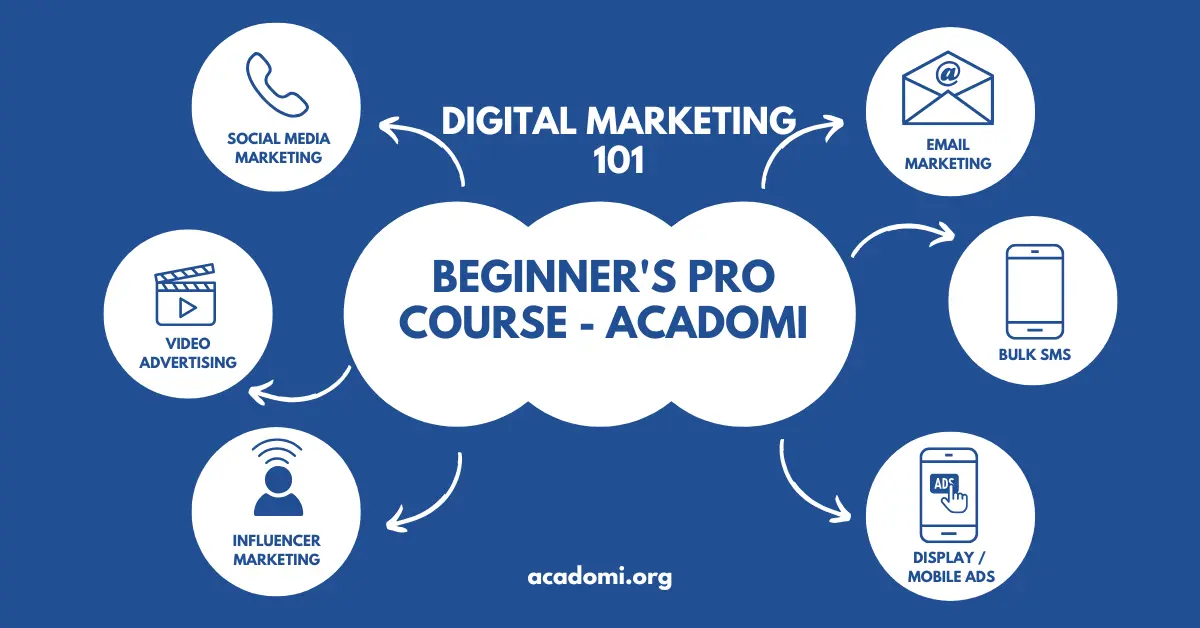
Digital Marketing 101 – A Complete Beginner’s Guide
Ideal Target Audience
This course is perfect for anyone looking to enter the world of digital marketing with zero prior experience:
- Beginners with no prior marketing knowledge
- Small business owners aiming to grow online
- Freelancers and students seeking digital skills
- Content creators planning to monetize their platforms
- Anyone curious about how online marketing works
Estimated Duration
Course Length: 4 Weeks (Self-paced)
Time Commitment: 3–5 hours per week
Lesson Video
Module 1: Introduction to Digital Marketing
Learning Objectives
- Understand what digital marketing is and why it matters
- Explore the modern digital marketing landscape
Lessons Covered
- What is Digital Marketing?
- Traditional vs. Digital Marketing
- Types of Digital Channels: Owned, Earned, and Paid
Tools & Resources
- Google Digital Garage – Free course on the fundamentals
- HubSpot Academy – Beginner-friendly video lessons
Practical Assignment
Write a short explanation (about 100 words) in your own words describing what digital marketing is and why it is important today.
Module 2: Understanding the Digital Marketing Funnel
Learning Objectives
- Learn the stages of the customer journey from awareness to conversion
- Understand the digital marketing funnel and how to use it strategically
Lessons Covered
- Awareness, Interest, Desire, Action (AIDA) Model
- TOFU (Top of Funnel), MOFU (Middle of Funnel), BOFU (Bottom of Funnel)
- Basics of Lead Generation and Lead Nurturing
Tools & Resources
Practical Exercise
Create a basic marketing funnel for a product or service of your choice. Identify what content or action belongs in each stage: TOFU, MOFU, and BOFU.
Module 3: Content Marketing Basics
Learning Objectives
- Understand the importance of content in driving traffic and conversions
- Learn how to create compelling content that engages your target audience
Lessons Covered
- What is Content Marketing?
- Blogging and Basic SEO Techniques
- Strategies for Creating Visual and Video Content
Tools & Resources
- Grammarly – Grammar and clarity checking tool
- Hemingway Editor – Simplify and improve readability
- Canva – Design tool for graphics and social posts
- Pexels – Free stock photos and videos
Practical Assignment
Choose a topic relevant to your audience and outline a blog post, including title, subheadings, and call-to-action. Then, use Canva to design a basic social media post promoting your blog idea.
Module 4: Social Media Marketing
Learning Objectives
- Understand how to effectively use social media platforms for marketing
- Learn the basics of content planning, scheduling, and audience engagement
Lessons Covered
- Overview of Major Platforms: Facebook, Instagram, X (formerly Twitter), TikTok, LinkedIn
- Developing a Social Media Marketing Strategy
- Introduction to Content Calendars and Planning
Tools & Resources
- Meta Business Suite – Manage Facebook and Instagram in one place
- Buffer or Hootsuite – Schedule and manage posts across multiple platforms
Practical Exercise
Choose one social media platform (e.g., Instagram or LinkedIn). Create a one-week content plan including post ideas, formats (image, video, text), and schedule using a content calendar template or scheduling tool.
Module 5: Search Engine Optimization (SEO)
Learning Objectives
- Learn how to make your content discoverable through search engines
- Understand the fundamentals of on-page and off-page SEO
Lessons Covered
- How Search Engines Work and Rank Content
- Basics of Keyword Research and Why It Matters
- On-page SEO: Crafting Titles, Meta Descriptions, and Clean URLs
Tools & Resources
- Ubersuggest – Free keyword research and SEO tool
- Google Keyword Planner – Find keyword ideas and search volume
Practical Assignment
Choose a blog topic relevant to your niche or interest. Use Ubersuggest or Google Keyword Planner to perform basic keyword research and list five relevant keywords with good search volume.
Module 6: Email Marketing Essentials
Learning Objectives
- Learn how to build and grow an effective email list
- Understand key email marketing metrics like open rates, click-through rates (CTR), and automation
Lessons Covered
- Why Email Marketing is Still Effective Today
- How to Build and Segment an Email List
- Crafting Engaging and High-Converting Emails
Tools & Resources
- Mailchimp – Create and manage email campaigns with automation features
- ConvertKit – Email marketing tool designed for creators and small businesses
Practical Exercise
Write a welcome email for new subscribers joining your mailing list. Include a short introduction, value proposition, and a call-to-action that invites further engagement.
Module 7: Paid Advertising (PPC Basics)
Learning Objectives
- Understand how pay-per-click (PPC) advertising works across major platforms
- Learn basic budgeting strategies and how to set up a simple campaign
Lessons Covered
- Introduction to Google Ads and Meta Ads (Facebook & Instagram)
- Types of Paid Ads: Search Ads, Display Ads, and Social Media Ads
- Understanding Key Metrics: Click-Through Rate (CTR), Cost Per Click (CPC), Return on Investment (ROI)
Tools & Resources
- Google Ads Demo Account – Practice creating ad campaigns in a safe environment
- Facebook Ads Library – Explore real ad examples by industry and niche
Practical Assignment
Choose a product or service and write a simple ad copy including a headline, main message, and call-to-action. Then define your ideal target audience by demographics, interests, and behavior.
Module 8: Analytics & Performance Tracking
Learning Objectives
- Learn how to track digital marketing performance using analytics tools
- Understand key metrics to make informed, data-driven decisions
Lessons Covered
- Why Analytics Is Essential in Digital Marketing
- Getting Started with Google Analytics 4
- Key Performance Indicators (KPIs) You Should Monitor
Tools & Resources
- Google Analytics – Analyze user behavior and website performance
- Google Search Console – Monitor website search traffic and SEO performance
Practical Exercise
Review a sample Google Analytics report. Identify at least three key insights such as top-performing pages, bounce rate, or user location. Summarize your findings and suggest one action based on the data.
Final Project: Digital Marketing Strategy Plan
Project Objective
Create a simplified digital marketing plan for a real or hypothetical product, service, or personal brand using the knowledge and tools covered throughout the course.
What to Include
- Marketing Funnel Design: Map out a basic funnel from awareness to conversion using AIDA or TOFU–BOFU structure
- Content Ideas: Provide a few content topics or headlines related to your chosen product or brand
- Social Media Plan: Create a weekly content plan for at least one platform (Instagram, Facebook, etc.)
- Email Marketing Draft: Write a welcome email or promotional message tailored to your audience
- Ad Copy Sample: Draft one short advertisement for Google or social media, including your target audience
- Metrics to Track: List 3–5 key performance indicators (KPIs) you would monitor using analytics tools
Submission Format
Submit your project as a Google Doc, PDF, or presentation. Use bullet points, visuals, and brief explanations for clarity. This will serve as a portfolio piece and proof of learning.
Start Your Digital Marketing Journey
Everything you need to understand and apply the core strategies of digital marketing is right here in Digital Marketing 101. Get started today!
Enroll Now Career Development Tips
